


Designing Immersive Levels for VR Shooting Simulators
- Designing Immersive Levels for VR Shooting Simulators
- Why level design matters for a vr shooting simulator
- Core principles of immersion in a vr shooting simulator
- Level layout and flow for gameplay pacing in a vr shooting simulator
- Visual design and performance balance for vr shooting simulator levels
- Audio design and spatial cues that improve player reactions in a vr shooting simulator
- Interaction fidelity: making weapons and controls feel right in a vr shooting simulator
- Enemy AI, encounter design, and challenge balance for vr shooting simulator
- Comfort, locomotion and safety best practices for a vr shooting simulator
- Optimization checklist and hardware considerations for a vr shooting simulator
- Playtesting, metrics and iteration for a vr shooting simulator
- Monetization and operational tips for arcade owners using a vr shooting simulator
- Accessibility, safety and legal considerations for a vr shooting simulator
- VRN0.1: delivering immersive vr shooting simulator solutions
- FAQ — Frequently Asked Questions about vr shooting simulator level design
- Sources and references
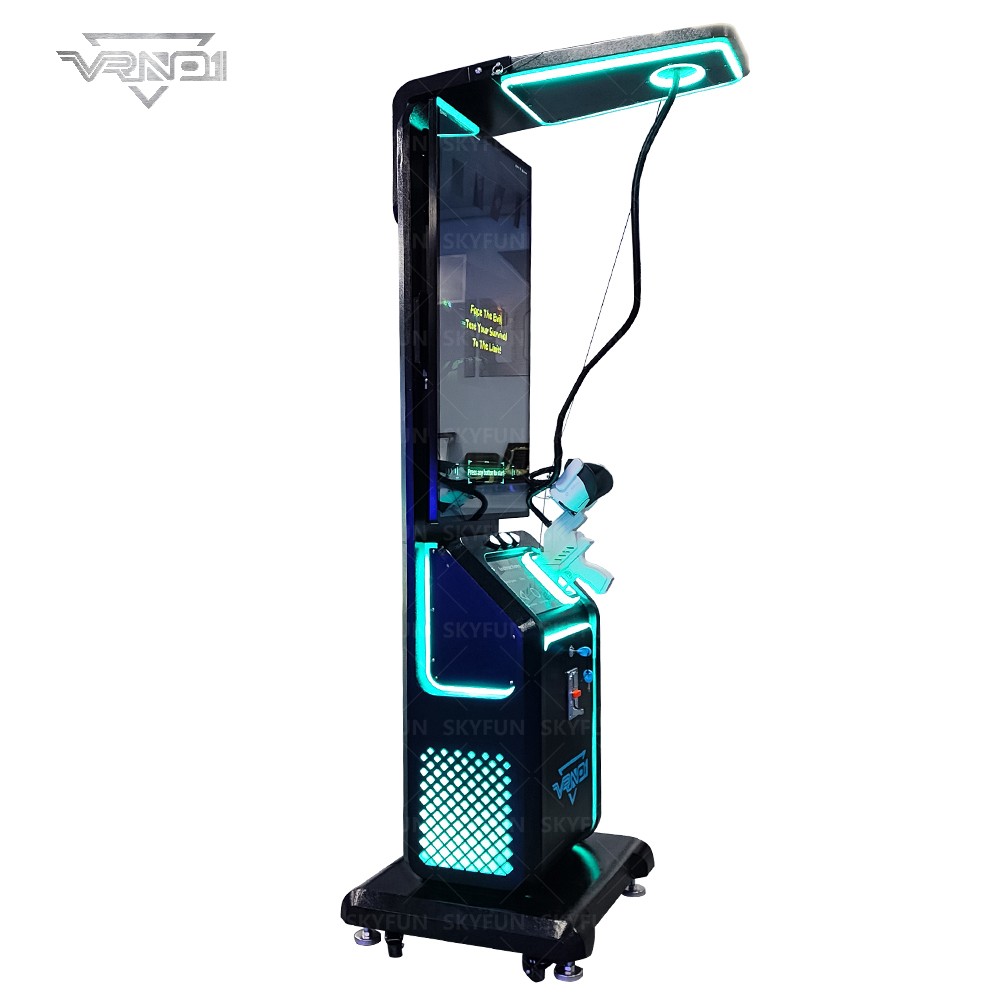
Designing Immersive Levels for VR Shooting Simulators
Why level design matters for a vr shooting simulator
Designing levels for a vr shooting simulator requires more than translating 2D shooter maps into 3D space. The medium magnifies every design decision: spatial layout affects player comfort, visual fidelity influences presence, audio cues drive reactions, and interaction fidelity (weapon feel, reloading, cover mechanics) determines whether a player feels powerful or frustrated. The goal of any vr shooting simulator is to create repeatable, engaging sessions that feel compelling to both casual visitors and repeat players in an arcade setting. This article gives practical, production-ready guidance on designing immersive levels that maximize player engagement, throughput, and revenue potential for commercial vr shooting simulator installations.
Core principles of immersion in a vr shooting simulator
Immersion is the feeling that the virtual environment is real enough to suspend disbelief. For a vr shooting simulator, four interlocking principles drive immersion:
- Presence: High-fidelity visuals, consistent audio, and responsive controls create the sensation of being 'there'.
- Believability: Logical layouts, consistent world rules, and predictable enemy behavior keep the world coherent.
- Agency: Players must feel their actions (aiming, reloading, movement) directly affect outcomes.
- Comfort: Minimize motion sickness via optimized locomotion and frame stability so longer sessions are possible.
Every level should be evaluated against these principles to ensure the vr shooting simulator experience is both engaging and commercially viable.
Level layout and flow for gameplay pacing in a vr shooting simulator
Good pacing keeps players engaged without overwhelming or boring them. In a vr shooting simulator, layout and flow determine encounter frequency, cover opportunities, sightlines, and safe movement. Design considerations include:
- Modular spaces: Create rooms/arenas that can be recombined to form multiple scenarios. It reduces development time and increases replayability.
- Controlled sightlines: Manage long lines of sight to prevent unfair sniper situations and to encourage tactical movement.
- Choke points and branching paths: Use choke points to create tension, and branching routes to reward exploration and skillful play.
- Spawn logic: Place spawns out of direct view and with predictable delay to avoid breaking immersion.
Map flow example: warm-up zone → escalating combat rooms → short respite/cover area → crescendo boss/escape. This pattern works well for short arcade sessions (5–10 minutes) typical of commercial vr shooting simulator deployments.
Visual design and performance balance for vr shooting simulator levels
Visuals are a double-edged sword: richer scenes boost presence but increase rendering cost and latency. For arcades, stability and high frame rate are more important than ultra-high fidelity. Guidelines:
- Prioritize clarity over complexity: Use clear silhouettes for enemies and interactive objects so players can quickly identify threats and pickups.
- LOD and occlusion: Implement Level of Detail (LOD) systems and occlusion culling to keep frame rates steady.
- Atmospheric effects: Use VFX (fog, particle effects) sparingly; they can add immersion but are costly. Prefer cheaper layered sprites or masked billboards at distance.
- Consistent art language: A consistent color and texture palette helps players read the environment and react faster—critical in a vr shooting simulator.
Audio design and spatial cues that improve player reactions in a vr shooting simulator
Audio is a powerful and low-cost way to increase immersion and gameplay clarity. Spatialized audio lets players locate threats even when they are outside the visual field—vital in a vr shooting simulator where 360-degree awareness matters. Implement:
- HRTF-based spatialization: Use head-related transfer function audio for accurate directionality.
- Priority layering: Mix critical sounds (gunfire, enemy alerts) above ambient noise and reduce maskable frequencies.
- Audio affordances: Use distinct audio signatures for enemy types and interactive objects to reduce cognitive load.
Interaction fidelity: making weapons and controls feel right in a vr shooting simulator
Interaction fidelity is central to player satisfaction. Even simple mechanics like aiming and reloading demand attention. Key areas:
- Aim and calibration: Ensure low-latency tracking and accurate aim alignment. Offer quick calibration for player height and dominant hand.
- Physical reloading: When possible, use natural reloading gestures; they enhance agency. For arcades with time-limited sessions, hybrid systems (gesture + quick button) balance realism and throughput.
- Haptics: Use controller haptics to convey weapon weight and impact. Well-tuned haptics can substitute for heavier visual fidelity.
- Weapon feedback: Combine sound, light (on hardware), recoil simulation, and HUD elements to inform hit confirmation and ammo status.
Enemy AI, encounter design, and challenge balance for vr shooting simulator
AI should be believable but optimized. In arcades, predictable yet varied AI is preferable—players should feel surprised but not cheated. Design tips:
- Behavior states: Implement a small set of reliable states (patrol, search, attack, flinch). Predictability allows skill mastery.
- Telegraphing: Provide telegraphs (audio cues, body posture) indicating enemy intent to allow skilled players to react.
- Difficulty curves: Ramp enemy density, type diversity, and tactical coordination over the session. Offer multiple difficulty presets for different customer segments.
Comfort, locomotion and safety best practices for a vr shooting simulator
Player comfort directly impacts session length, player satisfaction and repeat visits. For a commercial vr shooting simulator you must minimize discomfort while retaining fun:
- Preferred locomotion: Use teleport, blink, or smooth locomotion with vignetting options. For arcades, constrained arenas with room-scale movement plus short smooth motions often work best.
- Motion sickness mitigations: High refresh rate, low latency, stable horizon references, and consistent frame times reduce nausea.
- Clear physical boundaries: Provide visible guardian systems and ensure furniture/fixtures in the venue match virtual spaces.
Optimization checklist and hardware considerations for a vr shooting simulator
Optimization is critical to keep the experience smooth on target hardware. Key metrics to monitor are framerate, frame latency, and dropped frames. Practical checklist:
- Target stable framerate (90Hz+ for tethered headsets; 72–90Hz for standalone depending on device).
- Use baked lighting where possible and limit expensive real-time lights.
- Implement texture atlases and GPU-friendly shaders; avoid expensive transparency where unnecessary.
- Profile on target devices regularly and set performance budgets per scene.
Below is a compact comparison of common VR hardware characteristics relevant to a vr shooting simulator :
| Device | Typical Res. per eye | Refresh Rate | Common Use |
|---|---|---|---|
| Meta Quest 2 | 1832×1920 | 72 / 90 Hz (depending on mode) | Standalone arcade options, mobile-tethered setups |
| Valve Index | 1440×1600 | 80 / 90 / 120 / 144 Hz | Tethered high-refresh, High Quality arcade rigs |
| Pico 4 | 2160×2160 | 75 / 90 Hz | Standalone commercial deployments |
Sources for the above specs are listed in the citations at the end of this article.
Playtesting, metrics and iteration for a vr shooting simulator
Playtesting is the most important stage. Use both qualitative and quantitative feedback to iterate quickly.
- Metrics to capture: session length, rounds completed, hit ratio, deaths, power-up usage, and points per minute.
- Qualitative feedback: Observe player behavior, note confusion points, and collect direct feedback after sessions.
- Rapid iteration: Use A/B testing for difficulty, enemy count and spawn rules. Small changes to timing and spacing can markedly change pacing.
For arcades, monitor throughput and customer satisfaction—shorter session lengths may increase revenue but can hurt long-term retention if unsatisfying.
Monetization and operational tips for arcade owners using a vr shooting simulator
When designing levels for commercial deployment, think beyond gameplay. Level design impacts throughput, maintenance and upsell opportunities:
- Session length design: Aim for multiple defined session lengths (e.g., 3, 6, 10 minutes) to match customer demand and queue patterns.
- Replay incentives: Include scoreboards, unlockable weapon skins, or difficulty-based rewards to encourage repeat plays.
- Easy reset and maintenance: Levels should cleanly reset to a neutral state to minimize downtime between sessions.
- Operator controls: Provide quick difficulty tuning and a real-time monitor to address issues fast.
Accessibility, safety and legal considerations for a vr shooting simulator
Arcade operators must consider safety and accessibility. Implement clear age limits, minimize realistic gore where local laws require, provide seated options, and ensure staff are trained for emergency removal. Offer visual and subtitle options for hearing-impaired players and simplified controls for inexperienced users.
VRN0.1: delivering immersive vr shooting simulator solutions
VRN0.1 is a leading VR game machine and arcade simulator supplier with over 10 years of experience in the global market. Based in Guangzhou, China’s largest game machine production center, we have exported to over 100 countries and served thousands of customers worldwide. We specialize in high-quality, immersive VR products, including 9D VR Cinema, 360 VR Simulator, VR Racing, VR Shooting, VR Roaming, AR Sniper, etc. For customers building or upgrading a vr shooting simulator venue, VRN0.1 provides:
- OEM and ODM services and one-stop VR venue solutions tailored to budgets and space.
- Free training for equipment operation and venue management to accelerate time-to-revenue.
- A diverse product line covering mainstream VR arcade categories with strong R&D, strict quality control, and 24/7 customer support.
Core products and competitive advantages:
- VR Simulator & Arcade Game Simulator: Modular, easy-to-maintain rigs with built-in operator tools for quick resets.
- VR Car Driving Simulator & Racing Game Machine: High-fidelity motion platforms for High Quality experiences.
- Interactive Platform VR & VR Roaming: Scalable roaming solutions that preserve tracking and comfort in larger spaces.
- AR Sniper & VR Shooting: Purpose-built shooting mechanics, haptics and content designed for high throughput and replayability.
- Kiddie Ride & 7D Cinema: Family-friendly offerings that broaden customer demographics.
VRN0.1 combines manufacturing scale in Guangzhou with global distribution and localized support. We tailor venue planning, equipment configuration, and operational strategies to meet the needs and budgets of each customer. Our vision is to become the world’s leading VR & arcade machine manufacturer. Learn more and view products at https://www.vrarcadegame.com/.
FAQ — Frequently Asked Questions about vr shooting simulator level design
Q: What is the ideal session length for a commercial vr shooting simulator?
A: For arcades, design tiered sessions (3–5 minutes for casual players, 6–10 minutes for enthusiasts). Short, satisfying loops increase throughput and revenue while longer sessions can be offered at High Quality pricing.
Q: How do you prevent motion sickness in fast-paced shooter levels?
A: Use high, stable framerates, give players locomotion choices (teleport vs smooth), provide visual anchors/horizon cues, and limit unnatural acceleration. Always offer comfort settings in the operator menu.
Q: Should reloading be fully physical in an arcade vr shooting simulator?
A: Hybrid systems—partial physical gestures plus quick-button resets—often provide the best balance between realism and throughput for arcades. Purely physical reloading can extend session time and increase confusion for new users.
Q: How important is audio for enemy detection?
A: Very important. Spatialized audio should be used to indicate direction and threat level; well-designed audio reduces clutter and helps players make faster decisions.
Q: How can I increase replayability for a vr shooting simulator?
A: Modular map design, randomized spawn patterns, multiple enemy types, difficulty tiers, and unlockable cosmetic rewards all promote replayability.
For a tailored consultation, pricing, and equipment demo, contact VRN0.1 sales or view our product catalog at https://www.vrarcadegame.com/. Our team provides venue planning, OEM/ODM options and free operation training to ensure your vr shooting simulator operates reliably and profitably.
Sources and references
- Meta (Oculus) Developer Documentation — Best practices for VR performance and comfort (Oculus Developer Center).
- Valve Index Hardware Specifications — Valve Corporation product documentation.
- Pico 4 Product Specifications — Pico Interactive documentation.
- Unity Manual — Optimization and performance tips for VR applications (Unity Technologies).
- GDC Vault — Talks on VR comfort, locomotion and level design (various presenters).
- Academic and industry papers on VR presence and haptics (IEEE and ACM conference proceedings).
Top 10 vr racing simulator Manufacturers and Supplier Brands in China
What are the application scenarios of basketball game machine?
Maintenance Tips for 9D VR Chair Simulator Operators
ROI and Revenue Models for VR Flight Simulator Operators
Products
Are your VR systems suitable for commercial use?
Yes, our VR arcade solutions are designed for commercial use, ideal for arcades, gaming centers, shopping malls, and entertainment venues. We offer both standalone machines and multi-player setups.
Solution
How to install and debug VRNO.1's VR equipment?
We provide professional installation and debugging services. After the equipment arrives at your venue, our technical team will send personnel to the site to install the equipment and ensure that all equipment and software functions can operate normally. After the installation is completed, we will also train your operators.
What is the service life of VR equipment?
VRNO.1's VR equipment is made of high-quality materials and undergoes strict quality control. The service life of the equipment is usually more than 5 years, depending on the frequency of use and maintenance of the equipment. Regular care and maintenance can extend the service life of the equipment.
Application
Does the VR game support multi-person interaction on the same screen?
Yes, VRNO.1's VR gaming devices support multiplayer on-screen interaction. Family members can participate in multiplayer competitive games, cooperative adventure games, etc., to enhance the interaction and entertainment experience among family members.
Distributors
What is the warranty policy for VRNO.1 products?
All VRNO.1 equipment enjoys a certain period of warranty service, which depends on the product type and cooperation agreement. During the warranty period, if the equipment fails, we will provide free repair or replacement service.
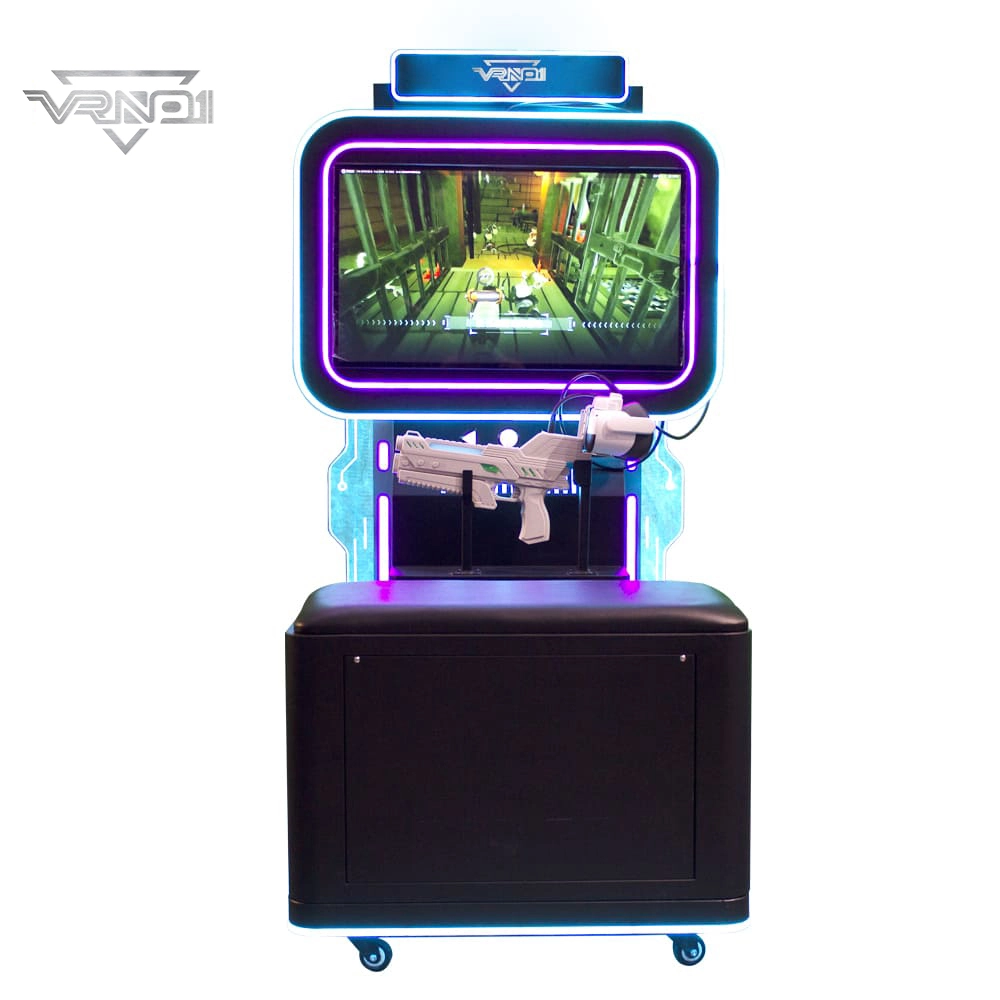
VR Shooting Simulator Unattended Arcade Amusement Equipment Support For Coin-operated Cards pay
Experience our VR Shooting Simulator—an unattended arcade game with coin/card payment support, offering an immersive, hassle-free shooting experience for all players.
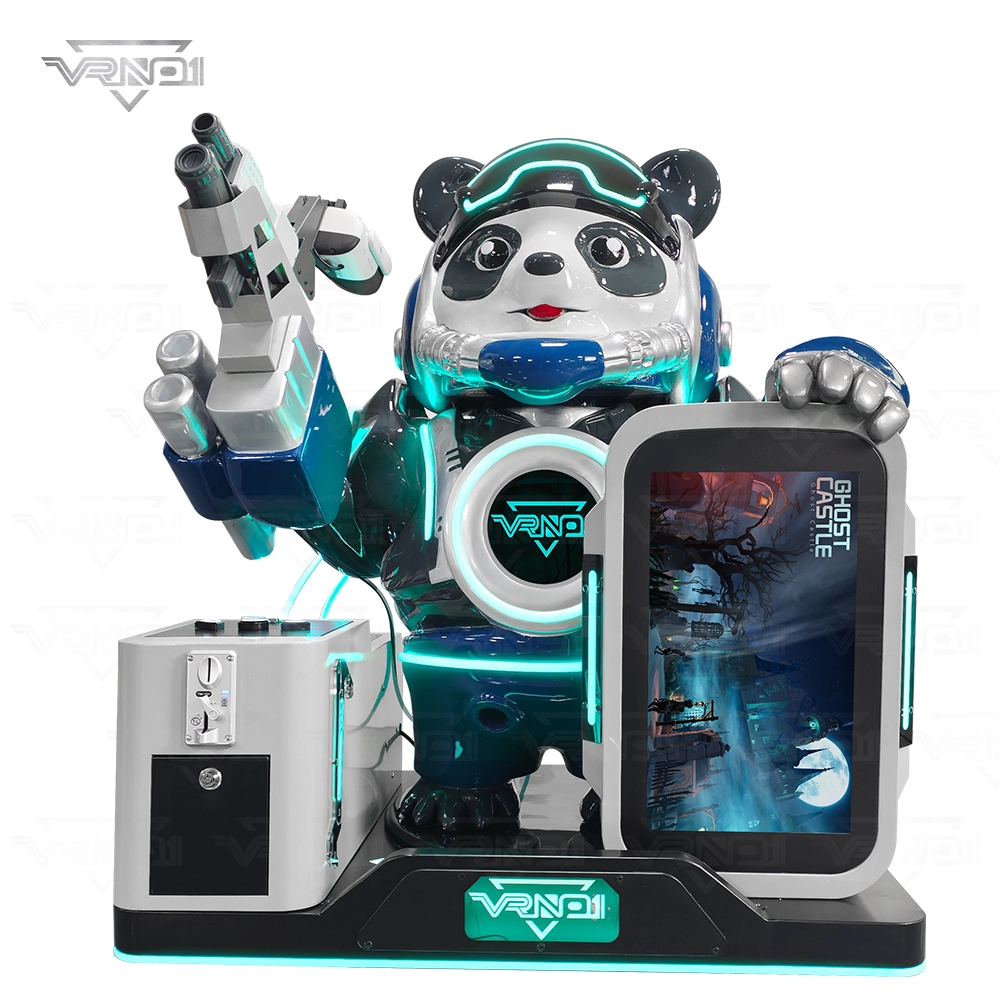
VR Panda Trooper Shooting Simulator Indoor/Outdoor Game for Kids Amusement Parks Shopping Malls Coin Operated

VRN0.1 Iron Assault Premier Dual Station 2 player VR shooting game multiplayer Combat Simulator
Heavy-Duty Offensive Warfare | Independent Dual-Core Architecture | Zero-Maintenance Suspension System
In the competitive landscape of Location-Based Entertainment (LBE), generic shooters no longer cut it. Enter the VR NO.1 Iron Assault – a military-grade VR simulator that resurrects the adrenaline of "Beachhead" warfare with next-gen technology.
Engineered by VR NO.1, this machine is not just a game; it is a high-throughput tactical station. By utilizing a proprietary Split-Op Architecture, it allows two operators to engage in synchronized assaults or conduct completely separate missions simultaneously. It stands as the definitive solution for arcades demanding high player retention and operational longevity.

 Scan QR Code
Whatsapp: +8618127818571
Scan QR Code
Guangzhou Skyfun Technology Co.,Ltd
skyfunvrgame
skyfun game