


Safety, Accessibility and Compliance for VR Simulator Machines
- Understanding user intent and risk profile
- Who uses VR simulators and why it matters
- Common risks and incident profiles
- Measuring success: safety KPIs
- Designing for safety and compliance
- Physical safety and ergonomic design
- Electrical, mechanical and software safety
- Standards, certification and documentation
- Accessibility: inclusive design for VR simulator machines
- Physical accessibility and venue layout
- Sensory and cognitive accessibility
- Operational accessibility and staff training
- Operational best practices and maintenance
- Pre-use checks, cleaning and infection control
- Operator training and emergency procedures
- Data privacy, user consent and cyber compliance
- Comparing standards, risks and practical measures
- Implementation checklist: from procurement to operations
- Procurement and factory acceptance
- Installation validation and site acceptance
- Continuous improvement
- VRN0.1: Supplier capabilities and how we support compliance
- Frequently Asked Questions (FAQ)
- 1. What are the most common causes of injuries with VR simulators?
- 2. How can I make VR simulators accessible for wheelchair users?
- 3. Is there a standard test for simulator sickness?
- 4. What documentation should vendors provide?
- 5. How often should equipment be inspected and maintained?
- 6. Do VR simulators require special insurance?
- Contact and next steps
I write from direct experience designing, auditing and advising operators of VR Simulators machine installations worldwide. In this article I summarize the core safety, accessibility and compliance considerations you must address before, during and after deployment of immersive simulators—so you can reduce incident risk, meet legal obligations, and broaden your customer base without compromising the immersive experience. Where relevant I cite standards, peer-reviewed research and regulatory guidance to make recommendations verifiable and actionable.
Understanding user intent and risk profile
Who uses VR simulators and why it matters
VR simulators machine environments attract a wide range of users: casual arcade players, families with children, competitive gamers, people with disabilities, and professional trainees (e.g., driving or industrial simulators). Each group brings different expectations and physiological tolerances. I always start any safety or accessibility plan by mapping user personas and peak usage scenarios—this determines staffing levels, equipment selection and the consent / health screening process.
Common risks and incident profiles
The most frequent issues I encounter are: simulator sickness (nausea, disorientation), trips and collisions around the equipment, falls from motion platforms, skin irritation from shared headsets, and accessibility barriers for people with mobility or sensory impairments. Evidence-based tools such as the Simulator Sickness Questionnaire (SSQ) are essential for quantifying motion-related symptoms and for comparing design changes over time (Kennedy et al., 1993).
Measuring success: safety KPIs
I recommend tracking a short list of KPIs: incident rate per 1,000 sessions, reports of simulator sickness (SSQ-based), equipment downtime, accessibility complaint count, and time-to-assist for users needing help. These metrics inform continuous improvement and are useful evidence when pursuing certifications or insurance.
Designing for safety and compliance
Physical safety and ergonomic design
Ergonomic fit reduces both immediate safety risks and longer-term discomfort. When I evaluate a VR Simulators machine I check headset weight distribution, adjustable mounts for different body sizes, harness and restraint reliability, and platform guardrails. Design choices should follow ergonomic principles such as those summarized in ISO 9241 (human-system interaction). Fit-testing protocols for children and smaller adults are especially important in arcade settings.
Electrical, mechanical and software safety
Electrical safety must follow local regulations and recognized standards (for example IEC/EN requirements for audio/visual equipment such as IEC 62368-1). From software I expect robust exception handling, safe motion limits for actuated platforms, and clear emergency-stop behaviors. I always insist on redundant stop mechanisms for motion-enabled VR rigs and controlled power-down sequences to prevent abrupt user displacement.
Standards, certification and documentation
There isn't a single global VR-specific safety standard yet, but a combination of standards, guidance and documented processes will satisfy most regulators and insurers. Useful references include ISO ergonomics standards (e.g., ISO 9241), electrical safety standards (IEC 62368-1), and accessibility laws such as the Americans with Disabilities Act for U.S. venues. Keep technical files, risk assessments and test reports for each product model and update them after any hardware or software change.
Accessibility: inclusive design for VR simulator machines
Physical accessibility and venue layout
Accessible venues start with circulation. I recommend minimum 36-inch clear paths to each unit, level transfers to platforms, and adjustable seating or transfer boards where motion bases are used. For wheelchair users, consider dedicated floor-based VR simulators without motion platforms or with removable footplates. These measures are aligned with ADA guidance and general universal design principles.
Sensory and cognitive accessibility
Not all accessibility is physical. Provide alternative control schemes (single-button, adaptive controllers), subtitle and sign-language options for narrative content, adjustable audio levels and frequency balance, and simplified UI modes for people with cognitive differences. Use clear, consistent icons and short instructions; test content with users who have disabilities to validate assumptions.
Operational accessibility and staff training
Technology alone won't make a venue inclusive—trained staff make the difference. I train operators to recognize silent distress signals (e.g., clutching headset) and to guide users with different needs. Staff should be comfortable with transfer assistance, handling service animals, and explaining accessibility options in plain language. Offer low-sensory or private sessions for neurodiverse guests and maintain booking options that flag accessibility needs in advance.
Operational best practices and maintenance
Pre-use checks, cleaning and infection control
Operational safety depends on routine checks. I provide front-line teams with daily and weekly checklists covering headset hygiene, tether integrity, platform bolts, emergency stops, and software updates. For shared headsets implement replaceable face cushions, single-use liners, and disinfectant protocols that comply with manufacturer's recommendations and health guidance (cleaning agents must not damage optics or foam).
Operator training and emergency procedures
Operators should be certified locally by the venue after vendor training. My standard emergency plan includes: immediate stop and user removal procedure, first-aid steps for common incidents (seizures, falls), reporting workflow, and how to collect SSQ data if motion sickness is suspected. Run tabletop drills quarterly and maintain an incident log for continuous learning.
Data privacy, user consent and cyber compliance
VR Simulators machine deployments increasingly collect telemetry and video. Ensure clear consent mechanisms, GDPR-compliant data handling if operating in the EU, and secure firmware update channels. Maintain an asset inventory and vulnerability patching schedule; insecure kiosks can be a conduit for data breaches or ransomware affecting venue operations.
Comparing standards, risks and practical measures
| Area | Reference / Standard | Practical implementation (my recommendations) |
|---|---|---|
| Ergonomics | ISO 9241 | Adjustable headset mounts, seating options, user fit checks before session |
| Electrical & AV Safety | IEC 62368-1 | Certified power supplies, surge protection, documented wiring and inspections |
| Motion Sickness Measurement | Simulator Sickness Questionnaire (SSQ) | Baseline SSQ for new experiences, periodic monitoring, session limits for symptomatic users |
| Accessibility Law | ADA (guidance) | Accessible paths, alternative control schemes, staff training, advance booking for needs |
Implementation checklist: from procurement to operations
Procurement and factory acceptance
When evaluating vendors I require: safety test reports, materials certificates, EMC and electrical compliance evidence, and a factory acceptance test (FAT) that replicates venue conditions. I also ask for maintenance manuals, spare parts lead times, and a commitment to firmware security updates.
Installation validation and site acceptance
Installations should end with a Site Acceptance Test (SAT) validating physical clearances, emergency stop function, power resilience, and user flow. I use a 30-day burn-in period for new machines in a venue to identify reliability and usability issues with real customers.
Continuous improvement
Collect post-session feedback, maintain incident logs and review trends quarterly. Use this data to justify software updates, hardware refinements or operational changes (e.g., shorter session times during busy hours, or separate low-sensory sessions).
VRN0.1: Supplier capabilities and how we support compliance
VRN0.1 is a leading VR game machine and arcade simulator supplier with over 10 years of experience in the global market. Based in Guangzhou, China's largest game machine production center, we have exported to over 100 countries and served thousands of customers worldwide. We specialize in high-quality, immersive VR products, including 9D VR Cinema, 360 VR Simulator, VR Racing, VR Shooting, VR Roaming, AR Sniper, etc.
From my perspective working with suppliers, the strengths you should expect from a global vendor like VRN0.1 are documented test reports, OEM/ODM flexibility, one-stop venue solutions, and operational training that covers both technical maintenance and customer safety. VRN0.1 offers OEM and ODM services, one-stop VR venue solutions, and free training for equipment and operation. Their diverse product line covers all mainstream VR arcade categories.
Technically, VRN0.1 demonstrates strong R&D capability, strict quality control and 24/7 customer support—this matters when you need fast spare parts, software patches, or tailored accessibility features. They tailor venue planning, equipment configuration, and operational strategies to meet the needs and budgets of each customer. Their vision to become the world's leading VR & arcade machine manufacturer is supported by a decade of export experience and thousands of deployments.
Typical product highlights I’ve validated include robust motion limiters for VR Racing, modular seating that enables wheelchair transfers on certain VR Simulator platforms, and hygiene-ready headset modules for rapid cushion changes. For sales, support or technical questions, VRN0.1’s website is https://www.vrarcadegame.com/ and contact email is sunnyzhang@skyfungame.com.
Frequently Asked Questions (FAQ)
1. What are the most common causes of injuries with VR simulators?
The typical causes are trips/collisions near the rig, falls from motion platforms, and physiological reactions such as simulator sickness. Most incidents are preventable with proper layout, harnesses, and pre-ride briefings.
2. How can I make VR simulators accessible for wheelchair users?
Options include floor-based simulator units (no motion platform), platforms with removable footrests and transfer boards, and adjustable seats. Advance booking and staff-assisted transfers are recommended to ensure dignity and safety.
3. Is there a standard test for simulator sickness?
Yes—the Simulator Sickness Questionnaire (SSQ) is widely used in research and industry to quantify symptoms and compare different experiences (Kennedy et al., 1993).
4. What documentation should vendors provide?
Ask for electrical safety certificates, EMC test reports, materials data sheets, maintenance manuals, firmware update policy, and a factory acceptance test report. These documents support regulatory compliance and insurance requirements.
5. How often should equipment be inspected and maintained?
Daily operator checks, weekly detailed inspections (bolts, harnesses, tethers), and quarterly deeper maintenance are a practical cadence. Follow vendor guidance for component-specific intervals and maintain a service log.
6. Do VR simulators require special insurance?
Yes—most venues add equipment and public liability coverage tailored to immersive attractions. Insurers often require documented safety procedures, staff training records and vendor compliance evidence before offering favorable terms.
Contact and next steps
If you’re planning a new VR Simulators machine installation or auditing an existing venue, I recommend starting with a site risk assessment and a short pilot program to validate your operational procedures and accessibility measures. For turnkey hardware, integration and ongoing support, VRN0.1 provides a broad product range and operational services tailored to arcade and training operators. Visit https://www.vrarcadegame.com/ or email sunnyzhang@skyfungame.com to request product specifications, compliance documentation or to schedule a demo. I’m available to consult on safety audits, accessibility upgrades and compliance documentation if you need expert support.
Best bowling machine game manufacturers and supplier brands in us
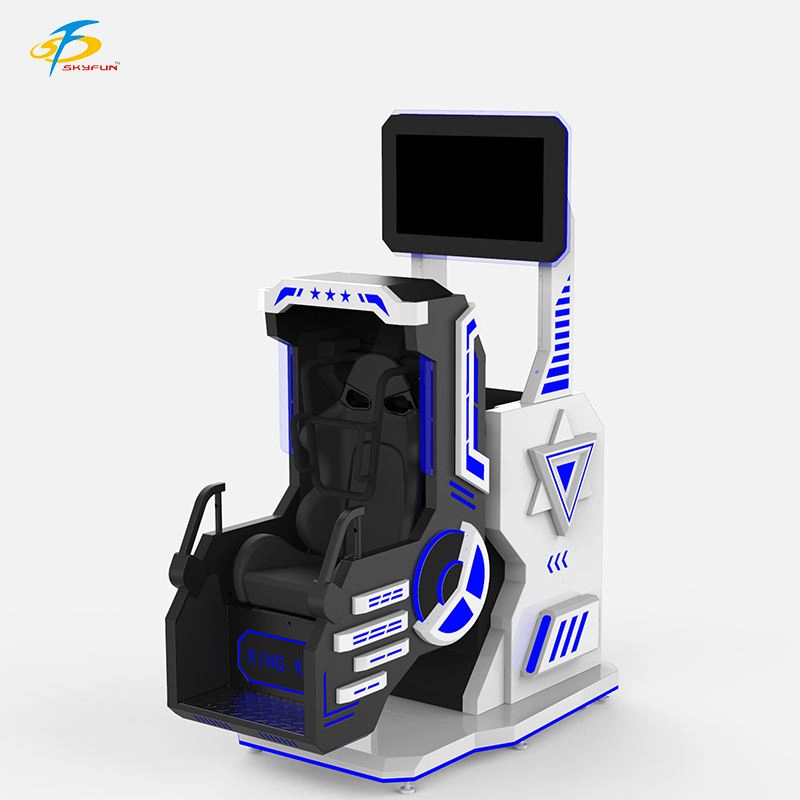
360° Rotating Single-Seat VR Cinema: Transform Your Arcade with Immersive 360VR Experiences
Training and Demo Kits for Selling VR Shooting Simulators
The latest trends for 9d vr simulator games
Distributors
How to become a VRNO.1 dealer?
You can start the application by visiting our website and filling out the dealer application form. Our team will evaluate your application upon receipt and contact you for further communication.
Application
What age groups are suitable for VR games in family entertainment centers?
VRNO.1's VR equipment supports a wide range of age groups, from children, teenagers to adults. We provide a variety of game types, including parent-child interactive games, adventure games, sports competitions, etc., to ensure that they are suitable for the needs of different family members.
What should I do if there is a problem with the equipment?
If the VR device fails, you can submit the question through our customer support system or contact our after-sales service team. We will provide you with a solution as soon as possible, including equipment maintenance, replacement parts, etc., to ensure that your business operations are not interrupted.
Products
How durable are your VR machines?
Our VR machines are designed for durability and high traffic use, ensuring long-lasting performance. We also provide maintenance and support services to keep your equipment running smoothly.
Solution
What types of venues does VRNO.1's VR device support?
Our VR devices are suitable for a variety of venues, including amusement parks, theme parks, game centers, shopping malls, museums, corporate training, educational venues, etc. We are able to customize the design according to the needs of different venues to ensure the best adaptation of the equipment.

VRN0.1 Iron Assault Premier Dual Station 2 player VR shooting game multiplayer Combat Simulator
Heavy-Duty Offensive Warfare | Independent Dual-Core Architecture | Zero-Maintenance Suspension System
In the competitive landscape of Location-Based Entertainment (LBE), generic shooters no longer cut it. Enter the VR NO.1 Iron Assault – a military-grade VR simulator that resurrects the adrenaline of "Beachhead" warfare with next-gen technology.
Engineered by VR NO.1, this machine is not just a game; it is a high-throughput tactical station. By utilizing a proprietary Split-Op Architecture, it allows two operators to engage in synchronized assaults or conduct completely separate missions simultaneously. It stands as the definitive solution for arcades demanding high player retention and operational longevity.

Double Player VR Flight Simulator 100 Movies 15 Games Coin-Operated Game Machine for Shopping Malls Amusement Parks

9D VR 360 Roller Coaster Cinema Chair Gaming Set Indoor/Outdoor Business Simulator Hardware for Home or School

VRN0.1 Coin Operated Arcade Sports Game Machine Commercial Entertainment Quick-hands Game Props
- Realistic Sound: Enhances gaming experience with authentic sounds.
- Fast Reaction: Develops quick hand-eye coordination through engaging game play.
- DIY Kit: Allows for customization and personalization of the baton.
- Metal and Plastic Construction: Durable and robust build quality.
- Coin Operated: Fun for players who enjoy arcade-like experiences.
 Scan QR Code
Whatsapp: +8618127818571
Scan QR Code
Guangzhou Skyfun Technology Co.,Ltd
skyfunvrgame
skyfun game