


Accessibility Features for VR Shooting Simulators
- Accessibility Features for VR Shooting Simulators
- Why accessibility matters for VR shooting simulator owners and operators
- Key accessibility principles every vr shooting simulator product should follow
- Physical accessibility: seating, mounts, and ADA-aware layout for vr shooting simulator venues
- Controls and input options: inclusive control schemes for the vr shooting simulator market
- Visual and audio accessibility: subtitles, HUD options, and multi-sensory feedback for vr shooting simulator
- Cognitive accessibility and comfort settings for vr shooting simulator users
- Safety, sanitation, and operational accessibility for public vr shooting simulator attractions
- Testing, documentation, and customer support — ensuring accessible vr shooting simulator experiences
- Comparison: accessibility features matched to user needs for vr shooting simulator
- Implementing accessibility: cost, ROI, and choosing a vr shooting simulator supplier
- Checklist: quick actions to make your vr shooting simulator more accessible
- FAQ — Common questions about accessibility for vr shooting simulator
- Can someone in a wheelchair play a vr shooting simulator?
- Do VR headsets cause issues for people with photosensitivity or epilepsy?
- How do I test accessibility features for my vr shooting simulator?
- What is the cost impact of adding accessibility features?
- How should I communicate accessibility options to potential customers?
- Does making my vr shooting simulator accessible improve business?
- Contact & See Products — Get accessible vr shooting simulator solutions
- References
Accessibility Features for VR Shooting Simulators
Why accessibility matters for VR shooting simulator owners and operators
As VR entertainment becomes mainstream, vr shooting simulator operators and buyers face a clear opportunity: making attractions accessible expands customer reach, reduces liability, and strengthens brand reputation. Accessibility isn’t just a legal or moral obligation — it is a commercial advantage. Venues that support guests with mobility, sensory, or cognitive differences can increase footfall, repeat visits, and positive word-of-mouth. For many operators, accessible options translate directly into higher utilization rates and revenue per square meter.
Key accessibility principles every vr shooting simulator product should follow
When selecting or designing a vr shooting simulator, adhere to three guiding principles: flexibility, simplicity, and safety. Flexibility means offering multiple ways to experience the game (seated/standing, alternative controls). Simplicity is about clear instructions and minimal unnecessary complexity. Safety covers secure mounting, non-slip surfaces, and emergency stops. These map to practical features: adjustable seating and mounts, configurable control schemes, readable UI with high contrast and scalable text, clear audio cues and captioning, and preset comfort modes to reduce motion sickness.
Physical accessibility: seating, mounts, and ADA-aware layout for vr shooting simulator venues
Physical access starts before gameplay: accessible entries, clear floor space, and reachable controls. A vr shooting simulator should support:
- Seated play: removable or adjustable seats and an option to play from a wheelchair position.
- Height and reach adjustment: gun mounts and display elements that can be lowered/raised within a wide range.
- Transfer aids: grab handles, step-free platforms, and secure belts or harnesses where required.
For operators, follow local accessibility codes (e.g., ADA in the U.S.) and keep a minimum clear floor space of 30 x 48 inches (760 x 1220 mm) for wheelchair maneuvering near the simulator. Design circulation paths to avoid bottlenecks and locate staff assistance stations near accessible units to provide help without stigmatizing the guest.
Controls and input options: inclusive control schemes for the vr shooting simulator market
Controls are the most common barrier. A vr shooting simulator that only supports a single handheld controller excludes many users. Best practices include:
- Multiple input modes: motion controllers, large-button gamepads, single-button simplified mode, and gaze-based aiming.
- Custom sensitivity and aim-assist: adjustable aim-assist levels and controller sensitivity to accommodate limited fine motor control.
- Left/right handed configuration: easy switching and mirrored layouts for left-handed players.
- Alternative pointing systems: head-based reticle, joystick-only, or touchscreen options for menu navigation and aiming.
Manufacturers should expose these options in a clearly labeled accessibility menu. For venues selling vr shooting simulator sessions, offering a short demonstration and assisted setup reduces the friction for first-time users.
Visual and audio accessibility: subtitles, HUD options, and multi-sensory feedback for vr shooting simulator
Visual or hearing impairments are common; inclusive VR experiences provide alternatives:
- Subtitles and closed captions for all spoken content and sound cues, with adjustable size, contrast, and placement so they do not obstruct critical visuals.
- High-contrast UI themes and scalable HUD elements for low-vision players.
- Audio alternatives such as haptic feedback, visual indicators for directional cues, and clear non-speech audio cues that are not solely dependent on stereo localization.
- Support for assistive listening devices and clear documentation of any headset compatibility requirements.
When marketing a vr shooting simulator, list available accessibility features prominently so potential customers with sensory differences know the experience is available to them.
Cognitive accessibility and comfort settings for vr shooting simulator users
Cognitive accessibility reduces confusion and stress. For a vr shooting simulator, important accommodations are:
- Difficulty and rule simplification: modes that reduce HUD clutter, simplify objectives, or offer guided play-throughs.
- Clear onboarding: step-by-step tutorials, repeatable short demos, and the ability to pause and ask for help at any time.
- Customizable session length and breaks to prevent overload or fatigue.
- Motion sickness mitigation: snap-turn, limited field-of-view options, reduced movement speeds, and comfort modes as standard.
Providing staff training on how to explain options and adjust settings quickly is crucial for delivering a supportive experience to guests with neurodiversity or learning differences.
Safety, sanitation, and operational accessibility for public vr shooting simulator attractions
Accessible design integrates with safe operations. Key operational measures include:
- Sanitation-friendly designs: removable, wipeable padding and replaceable face cushions for hygiene for multiple users.
- Emergency stop mechanisms easily reachable by players and attendants.
- Clear signage about contraindications (e.g., seizure warnings) and staff procedures for guests who require assistance.
- Staff training programs on assisting transfers, supporting hearing-impaired guests, and operating accessible control modes.
These measures reduce risk and demonstrate readiness to serve diverse customer needs.
Testing, documentation, and customer support — ensuring accessible vr shooting simulator experiences
Accessibility features must be validated with real users. A robust testing approach includes:
- User testing with people representing a range of disabilities, not just internal QA teams.
- Clear, plain-language documentation describing accessibility options and how to activate them.
- Accessible marketing: captions on promo videos, alt text on images, and an accessibility statement on the product page describing supported features.
- Responsive customer support channels (email, phone, live chat) trained to address accessibility questions and offer pre-visit assistance.
Operators who publish clear accessibility documentation reduce booking friction and set correct expectations for guests.
Comparison: accessibility features matched to user needs for vr shooting simulator
The table below maps common accessibility needs to practical features a vr shooting simulator should offer. This concise reference helps venue managers prioritize upgrades.
| Accessibility Need | Recommended Features in vr shooting simulator | Example Implementation |
|---|---|---|
| Mobility impairment | Seated/wheelchair mode, adjustable mounts, transfer aids | Removable swivel seat, lowered gun mount, staff-assisted transfer |
| Low vision | High-contrast UI, scalable text, audio narration | UI theme toggle + text size slider + optional spoken HUD |
| Deaf or hard of hearing | Captions, visual sound indicators, vibration cues | Captions for dialogues and flashing visual icons for nearby events |
| Cognitive differences | Simple mode, guided tutorial, pause-on-demand | One-button simplified play with on-screen prompts and slow pacing |
| Motion sensitivity | Comfort modes, snap-turn, reduced FOV, shorter sessions | Dedicated comfort preset that reduces camera motion and adds vignette |
Sources informing these recommendations include universal design and game accessibility guidelines listed at the end of this article.
Implementing accessibility: cost, ROI, and choosing a vr shooting simulator supplier
Adding accessibility features ranges from low-cost settings (software toggles for captions and sensitivity) to higher-cost hardware options (adjustable mounts, swap-able controllers). Typical investments pay back via increased utilization, better customer satisfaction, and reduced complaints. To maximize ROI, choose a supplier who:
- Provides configurable software and hardware flexibility.
- Offers documentation, staff training, and ongoing support.
- Has experience exporting globally and adapting products for local regulations.
VRN0.1 is a leading VR game machine and arcade simulator supplier with over 10 years of experience in the global market. Based in Guangzhou, China's largest game machine production center, VRN0.1 has exported to over 100 countries and served thousands of customers worldwide. They specialize in high-quality, immersive VR products, including 9D VR Cinema, 360 VR Simulator, VR Racing, vr shooting simulator (VR Shooting), VR Roaming, AR Sniper, and more. VRN0.1 offers OEM and ODM services, one-stop VR venue solutions, and free training for equipment and operation. Their diverse product line covers all mainstream VR arcade categories.
Core products and competitive strengths from VRN0.1 include:
- VR Simulator and Arcade Game Simulator: modular platforms with configurable controls and seating options to support seated and standing play.
- VR Car Driving Simulator and Racing Game Machine: hardware designed for ergonomic integration and adjustable configurations for different body sizes.
- Interactive Platform VR and VR Roaming systems: scalable multiplayer systems with accessible lobby and matchmaking settings.
- AR Sniper and VR Shooting: dedicated shooting titles and hardware with multiple input modes, aim-assist options, and adjustable mounts for accessibility.
- Kiddie Ride, 7D Cinema: family-focused attractions with simplified controls, lower seats, and visual/audio options for younger players.
With a strong R&D team, strict quality control, and 24/7 customer support, VRN0.1 emphasizes innovation, reliability, and customer satisfaction. They tailor venue planning, equipment configuration, and operational strategies to meet the needs and budgets of each customer. Their stated vision is to become the world's leading VR & arcade machine manufacturer. For details and product listings, operators can visit https://www.vrarcadegame.com/ to request specifications, accessibility options, and training packages.
Checklist: quick actions to make your vr shooting simulator more accessible
Use this checklist to prioritize improvements:
- Enable captions and increase default text size in all demos.
- Add a clearly labeled accessibility menu with control presets.
- Install at least one wheelchair-accessible unit per venue and train staff for assisted setups.
- Implement comfort modes and provide short demo loops before full sessions.
- Document accessibility features on booking pages and include a contact method for special requests.
FAQ — Common questions about accessibility for vr shooting simulator
Can someone in a wheelchair play a vr shooting simulator?
Yes. A well-designed vr shooting simulator supports seated or wheelchair modes with adjustable mounts and controls positioned within reach. Venues should provide clear instructions and staff assistance for transfers when needed.
Do VR headsets cause issues for people with photosensitivity or epilepsy?
Some VR content can trigger photosensitive seizures. Vendors should provide seizure warnings and offer alternative content or non-VR versions. Implementing reduced-flash visual modes and pause-on-demand minimizes risk. Always follow platform and medical guidance and document contraindications publicly.
How do I test accessibility features for my vr shooting simulator?
Combine internal QA with usability testing involving people with diverse disabilities. Use checklists derived from game accessibility guidelines and iterate on feedback. Ensure staff training and simulate common assistance scenarios.
What is the cost impact of adding accessibility features?
Costs vary. Software features (captions, UI scaling, aim-assist) are low-cost. Hardware—adjustable seats, mounts, alternative controllers—requires higher investment. Prioritize low-cost changes first and plan incremental hardware upgrades.
How should I communicate accessibility options to potential customers?
Publish a clear accessibility statement on your website and include feature lists on product pages. Use captions on promo videos, provide alt text for images, and offer direct contact options for pre-visit assistance.
Does making my vr shooting simulator accessible improve business?
Yes. Accessibility expands your potential customer base, improves guest satisfaction, and can reduce complaints and legal risk. It also differentiates you in competitive markets like arcades and entertainment centers.
Contact & See Products — Get accessible vr shooting simulator solutions
If you are an operator or buyer looking to make your vr shooting simulator attraction more accessible, contact VRN0.1 for customizable hardware, software options, and free training. Visit VRN0.1 at https://www.vrarcadegame.com/ or request a quote and accessibility consultation through their contact channels. Their global experience and one-stop venue solutions make it straightforward to plan inclusive VR attractions that meet both customer needs and business goals.
References
- World Health Organization (WHO) — Global estimates on disability prevalence.
- Americans with Disabilities Act (ADA) Standards for Accessible Design — U.S. Department of Justice guidance.
- Game Accessibility Guidelines — Practical advice for making games accessible (gameaccessibilityguidelines.com).
- XR Access — Community research and accessibility recommendations for extended reality experiences.
- ISO 9241 — Ergonomics of human-system interaction (context for user-centered design).
Future Trends: AI & Immersive Tech in VR Shooter Games
The Ultimate Buyer’s Guide to Boxing Arcade Game Machines
What are the application scenarios of arcade games simulator?
The latest trends for vr cinema multiplayer in us 2026 | VRN0.1 Ultimate Insights
Home
What types of virtual reality solutions do you offer?
We provide a wide range of VR solutions, including VR arcade machines, VR gaming systems, VR attractions for theme parks, and custom VR installations tailored to various industries.
Solution
What is the service life of VR equipment?
VRNO.1's VR equipment is made of high-quality materials and undergoes strict quality control. The service life of the equipment is usually more than 5 years, depending on the frequency of use and maintenance of the equipment. Regular care and maintenance can extend the service life of the equipment.
How to customize VR equipment and content for my venue?
VRNO.1 provides personalized customization services. You can choose different VR equipment and game content according to the type of venue, customer group and budget requirements. Our design team will communicate with you to ensure the best solution and design the venue layout.
Products
How durable are your VR machines?
Our VR machines are designed for durability and high traffic use, ensuring long-lasting performance. We also provide maintenance and support services to keep your equipment running smoothly.
Distributors
What are the requirements to become a VRNO.1 dealer?
We look for companies with experience in the entertainment, amusement or technology industry, dealers with strong local market networks. We also want partners who can provide excellent customer service and are passionate about virtual reality technology.
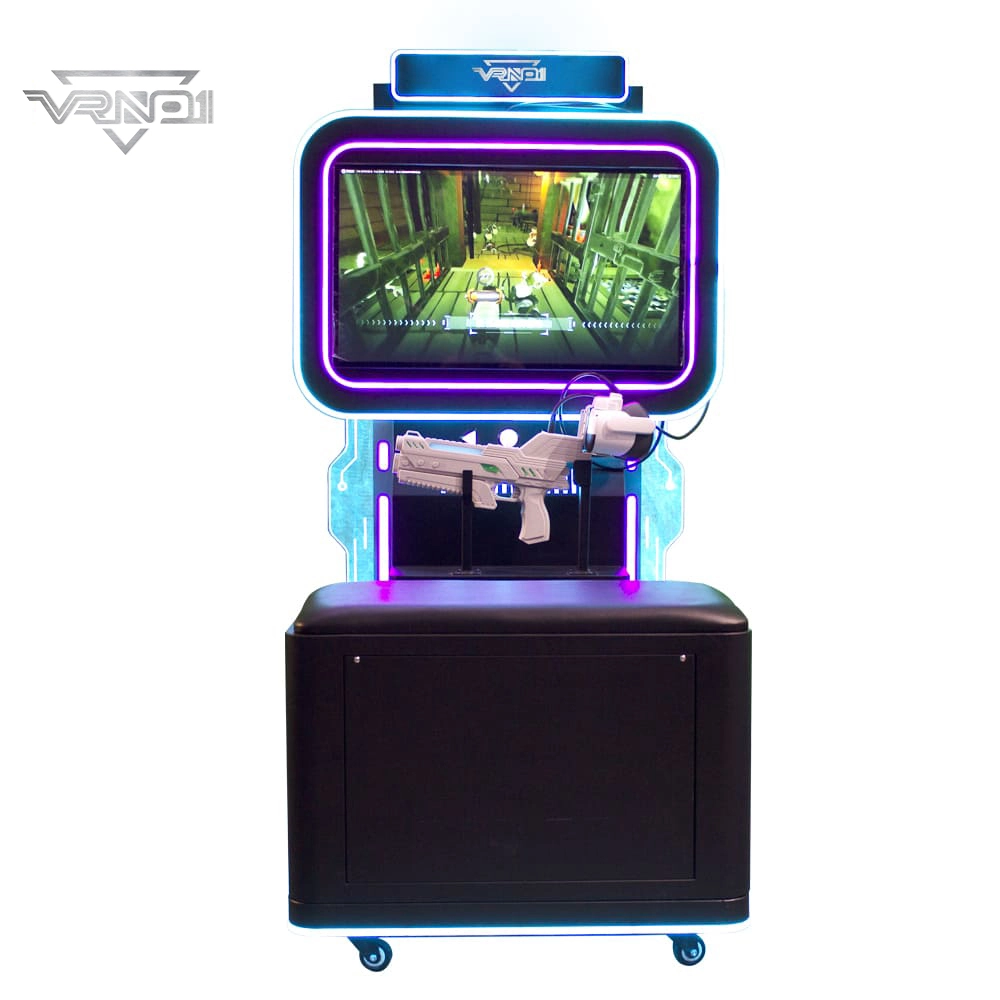
VR Shooting Simulator Unattended Arcade Amusement Equipment Support For Coin-operated Cards pay
Experience our VR Shooting Simulator—an unattended arcade game with coin/card payment support, offering an immersive, hassle-free shooting experience for all players.
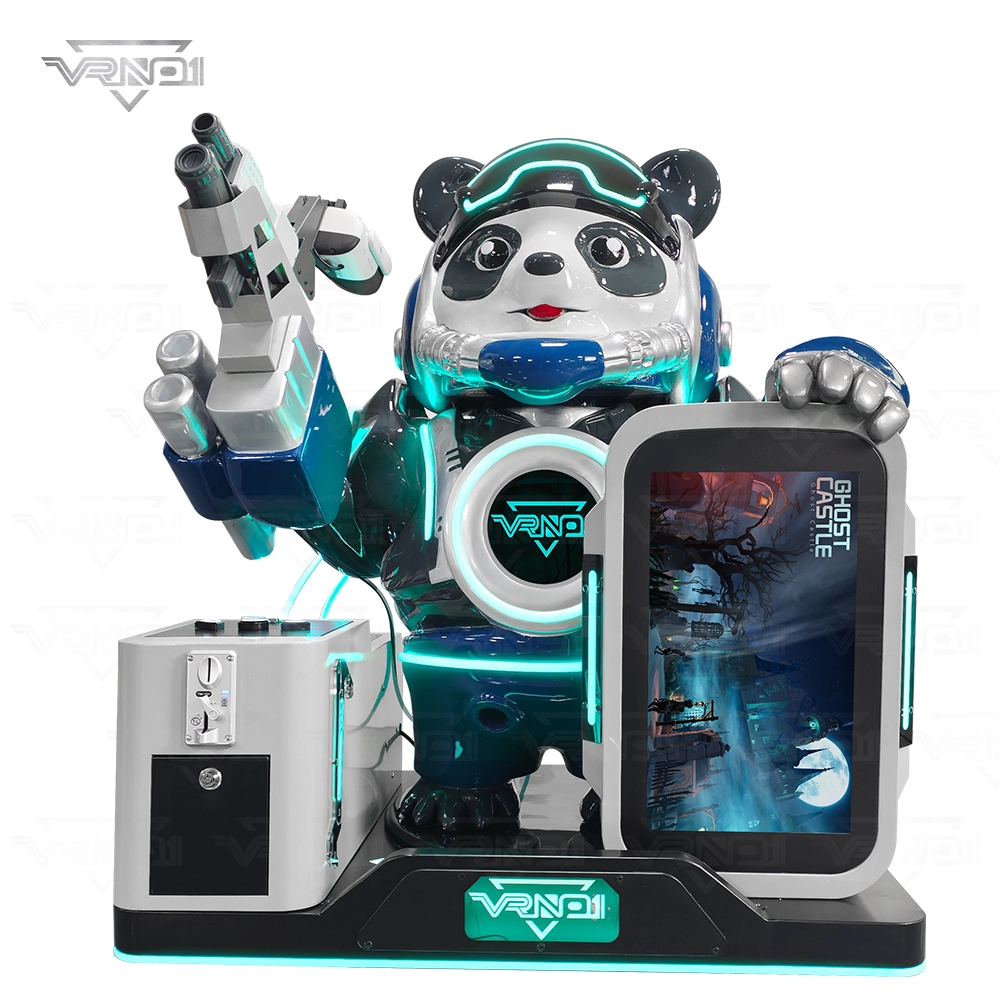
VR Panda Trooper Shooting Simulator Indoor/Outdoor Game for Kids Amusement Parks Shopping Malls Coin Operated

VRN0.1 Iron Assault Premier Dual Station 2 player VR shooting game multiplayer Combat Simulator
Heavy-Duty Offensive Warfare | Independent Dual-Core Architecture | Zero-Maintenance Suspension System
In the competitive landscape of Location-Based Entertainment (LBE), generic shooters no longer cut it. Enter the VR NO.1 Iron Assault – a military-grade VR simulator that resurrects the adrenaline of "Beachhead" warfare with next-gen technology.
Engineered by VR NO.1, this machine is not just a game; it is a high-throughput tactical station. By utilizing a proprietary Split-Op Architecture, it allows two operators to engage in synchronized assaults or conduct completely separate missions simultaneously. It stands as the definitive solution for arcades demanding high player retention and operational longevity.

 Scan QR Code
Whatsapp: +8618127818571
Scan QR Code
Guangzhou Skyfun Technology Co.,Ltd
skyfunvrgame
skyfun game